
Made for Indian hosts
Stop chasing replies.
Start counting heads.
Event Hub turns the WhatsApp group chaos into one link. Guests tap once to reply, you see a live headcount, and everyone walks in with a gate pass.
- Free to start
- No app for guests
- Works on any phone
Sound familiar?
“Guys, please confirm 🙏”
One link. They tap Yes. Done.
Counting names in a group chat
A live headcount, adults and kids split out.
“How many plates should I order?”
Veg, non-veg and Jain totals, ready to send.
Everything the host needs.
Nothing the guest has to learn.
An invite they'll actually open
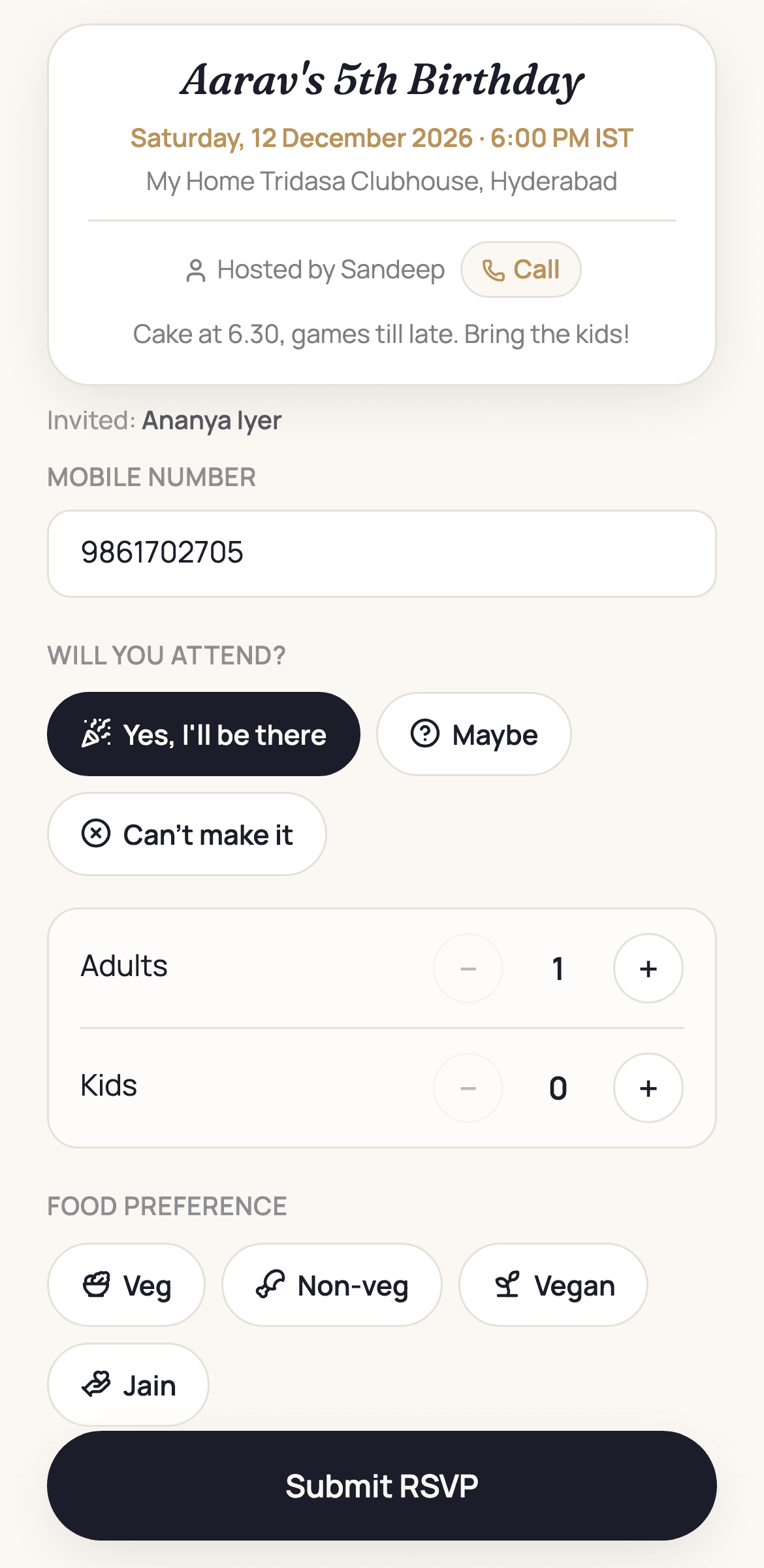
Share one WhatsApp message with the event's own preview card. Your guest taps it, picks Yes, Maybe or Can't make it, and sets how many are coming — no login, no download, nothing to install.
- Personal links, or one common link for walk-ins
- Ask only what you need: headcount, food, drinks, a note
- Optional OTP so every reply is a real person
Know exactly who's coming
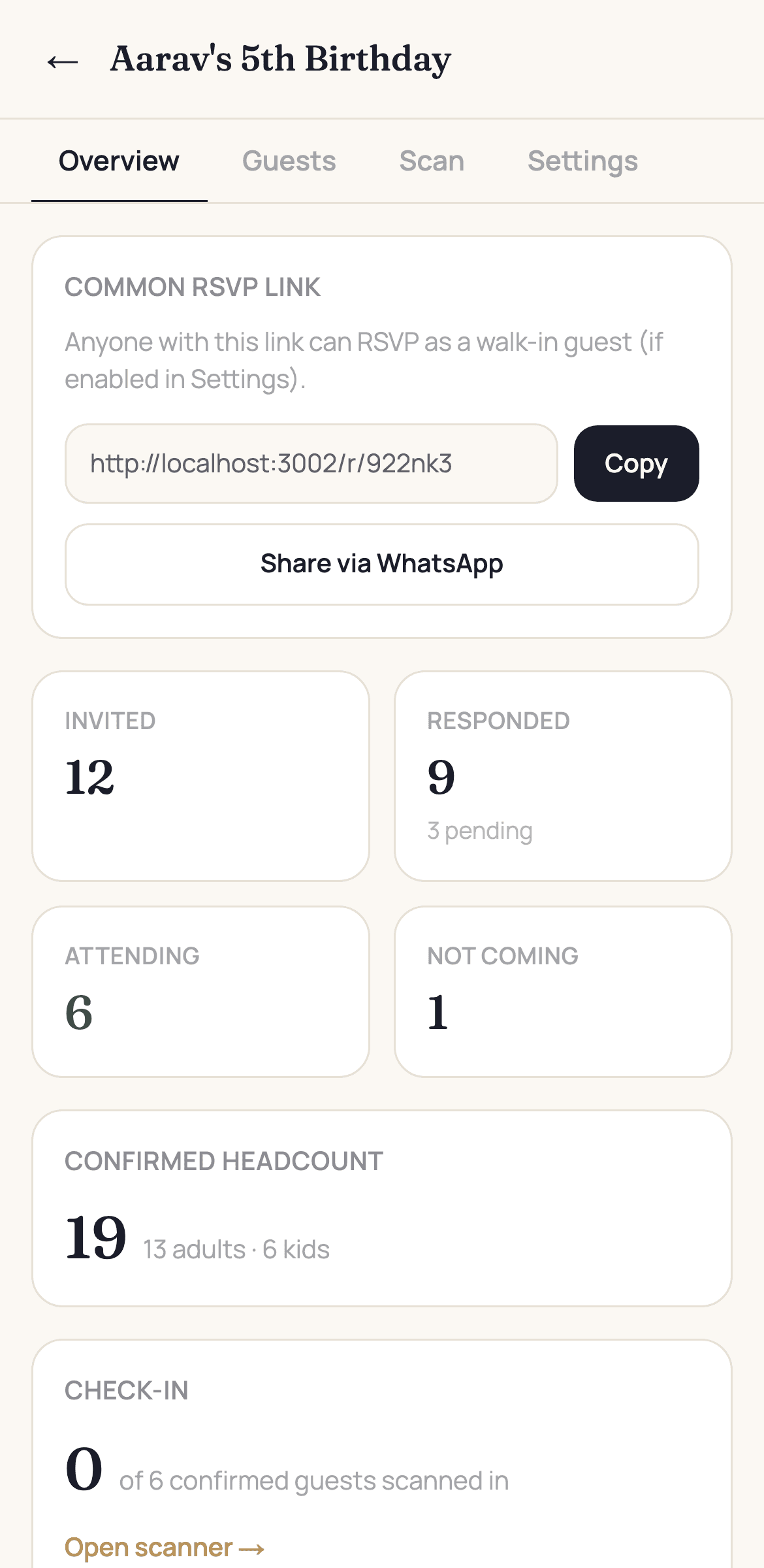
Every reply lands instantly. Invited, responded, attending, not coming — plus a confirmed headcount split into adults and kids, so you can order food and chairs with confidence.
- Live totals that update as replies arrive
- Chase only the guests who haven't replied yet
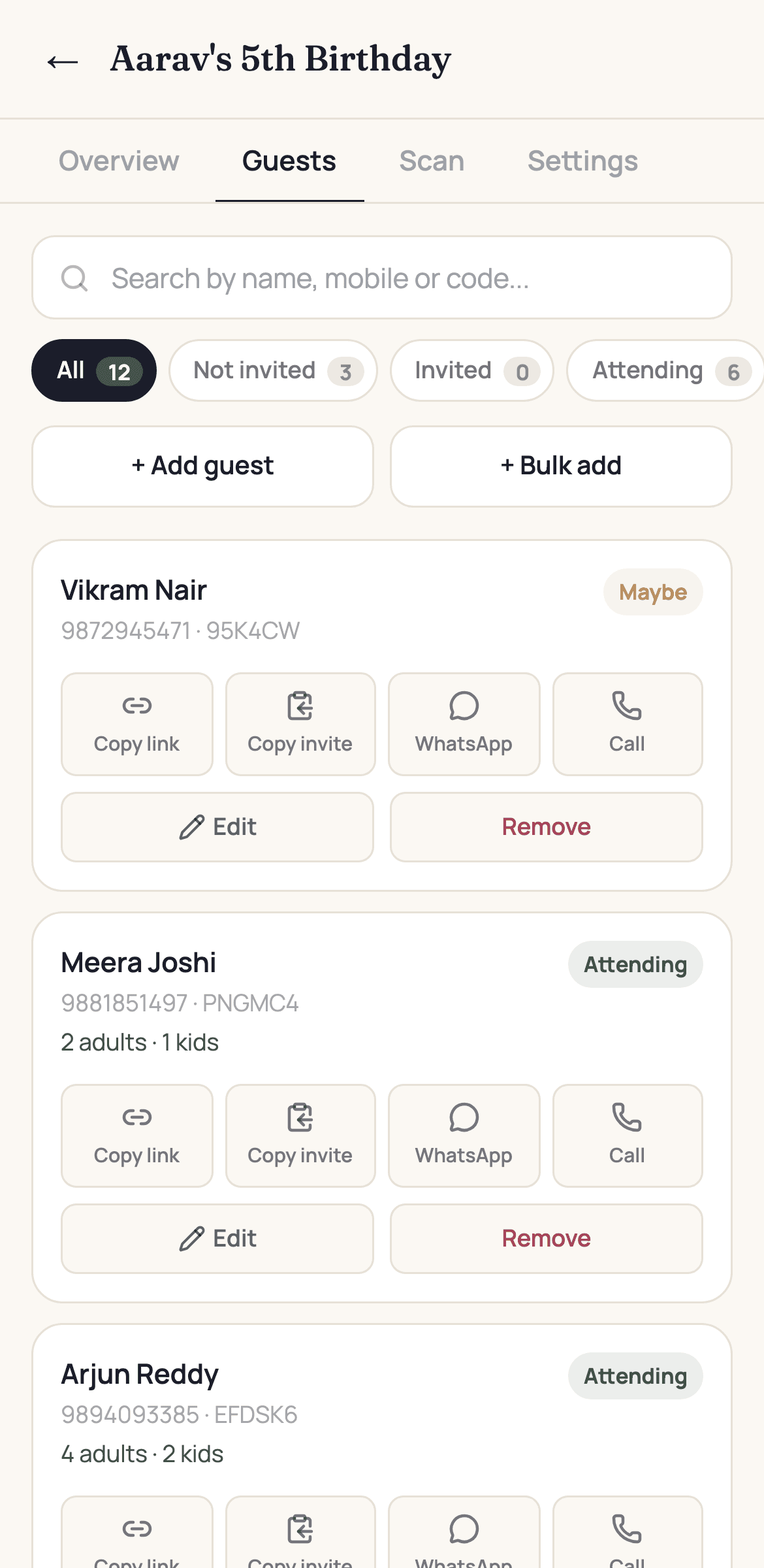
- Copy the invite or call a guest in one tap
Gate passes that your society accepts
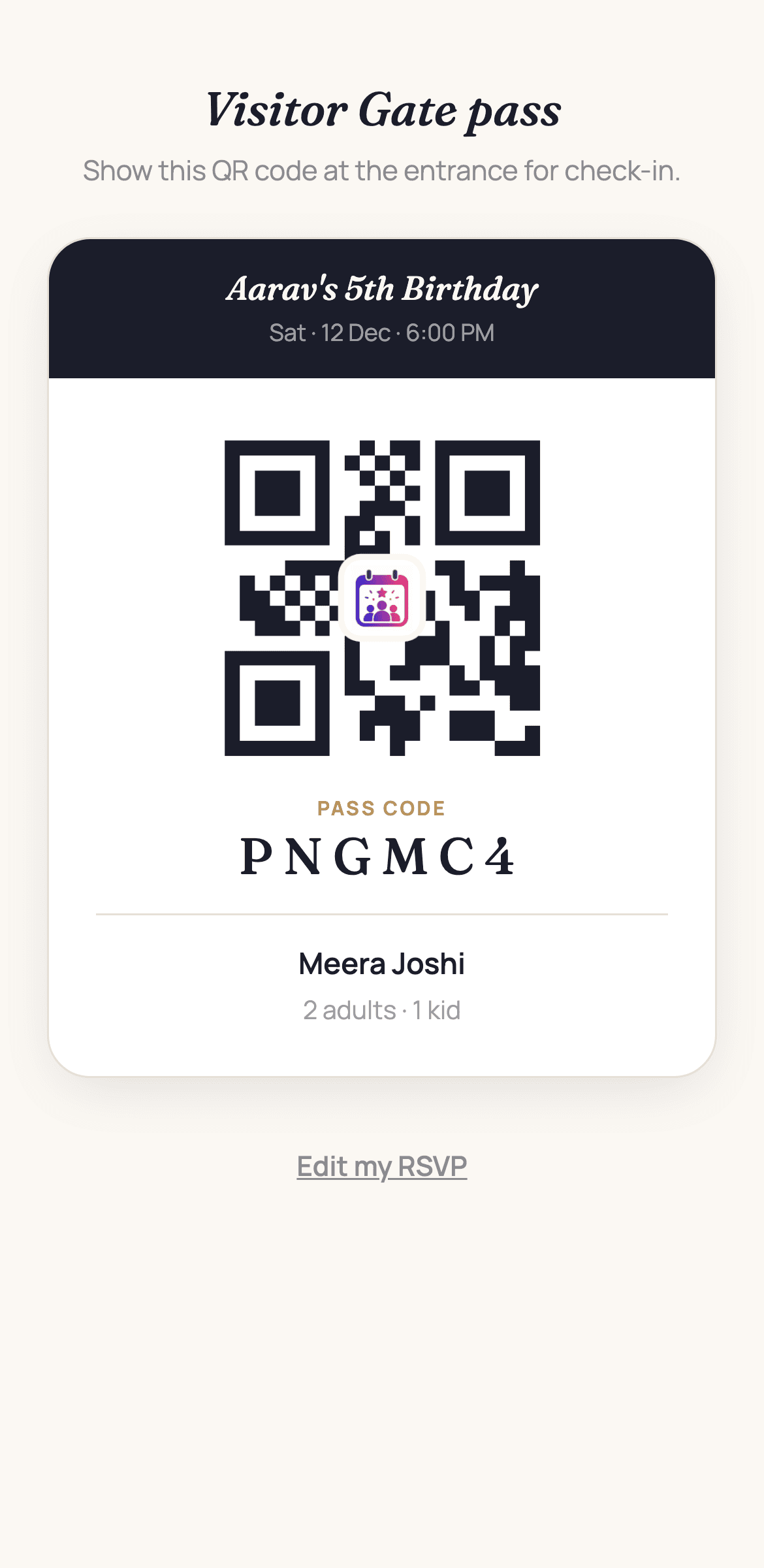
Every confirmed guest gets a pass with a QR code. Scan them in yourself at the door — or connect MyGate and let the guards check people in with a real society passcode, issued automatically.
- Built-in scanner for your own check-in
- MyGate passcodes issued the moment a guest says yes
- One pass per guest, never re-issued
Split the cost without the awkward reminders
Set a fixed amount per guest or split the total across everyone who confirms. Guests pay by UPI from the invite itself, and you see who's paid at a glance.
- Fixed per-head or split-the-bill
- UPI deep link with the amount already filled in
- Collect before or after they submit — your call
Set it up exactly how you want
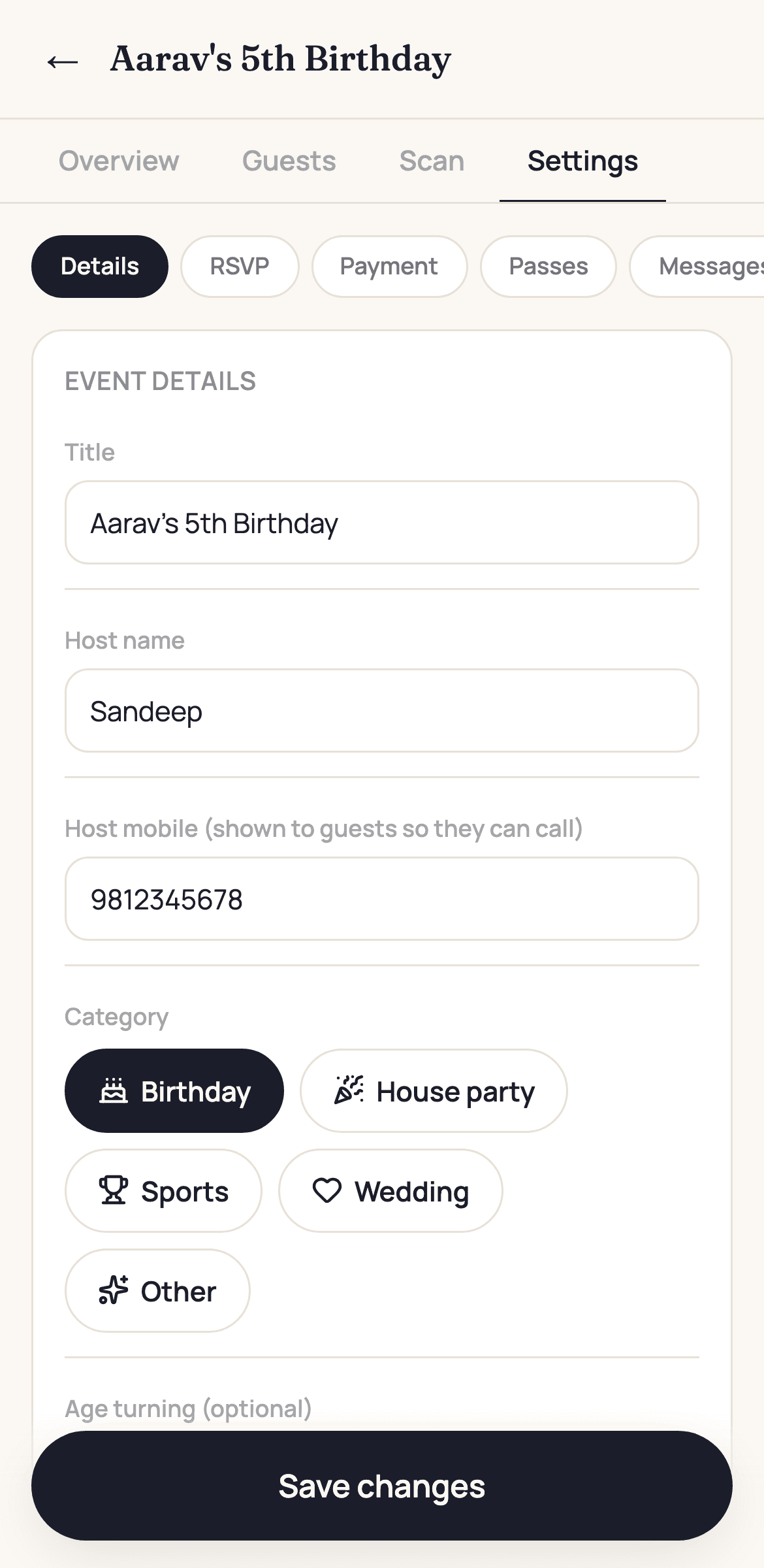
Birthday, house party, sports game or wedding — the form adapts. Rename the buttons to “Playing” and “Not playing”, write your own invite message, close RSVPs on a date, or cap the guest list.
- Custom wording for every attendance option
- Your own invite message template
- RSVP deadline, guest limits and privacy controls
Three steps. Ten minutes.
Create the event
Name, date, venue and a cover photo. Pick what you want to ask your guests.
Share the link
Add guests from your contacts, then send personal links or one shared link on WhatsApp.
Welcome them in
Watch replies land, order food for the right number, and scan passes at the door.
Your guest list stays yours
Guest details are visible only to you, the host of that event. We never sell or share them.
No spam, ever
We only send an SMS when it's an OTP you asked for. No marketing messages to your guests.
Install it like an app
Add Event Hub to your home screen and it opens full screen, offline-aware, like any other app.
Your next event, without the group chat
Set it up in ten minutes and send your first invite today. Free to start.
Create your first event